
Tetgame mark
Tetgame gallery room

The Sapphire Gallery

Browse Tetgame Rabbots, warrens, public pages, portraits, voice notes, and match-ready character material. Visitors can look around; member actions stay visible but ghosted until sign-in.

Preview mode — the Sapphire Gallery is open for browsing.

Sign in through the Trigame front door when you want to create, edit, collect, or manage Rabbots.

Creator image

This image is used for the creator/member area on the public Rabbot page.
This note belongs to the creator/member, not to a single Rabbot. Save it once here and it will stay with this creator across their Rabbots.

Warren and Rabbot Selection

Select a warren below. Both built-in game fluffles are available as public examples and can be inspected directly here. If a member has chosen a warren in the Opal Studio Room, that member’s warrens may also appear here for inspection and selection.

Best use:
Choose a warren here, then browse the bright sapphire cards below and open one Rabbot in the Diamond Mine for deeper inspection.
This image is used for the Warren area on the public Rabbot page.
No member session detected, so only the public fluffle example is shown. Member warren controls stay visible as sign-in previews instead of vanishing.
Create or edit in Opal Studio Manage my warren

Voice lines for Aquila Talon

This public fluffle example is shown here for study and experimentation. You may type in the fields below, including Core Identity and Personality Notes, but saving is disabled for the official fluffle.

Rabbot page content for Aquila Talon

The public fluffle can be studied here, but its page content remains read only.

How this page editor works

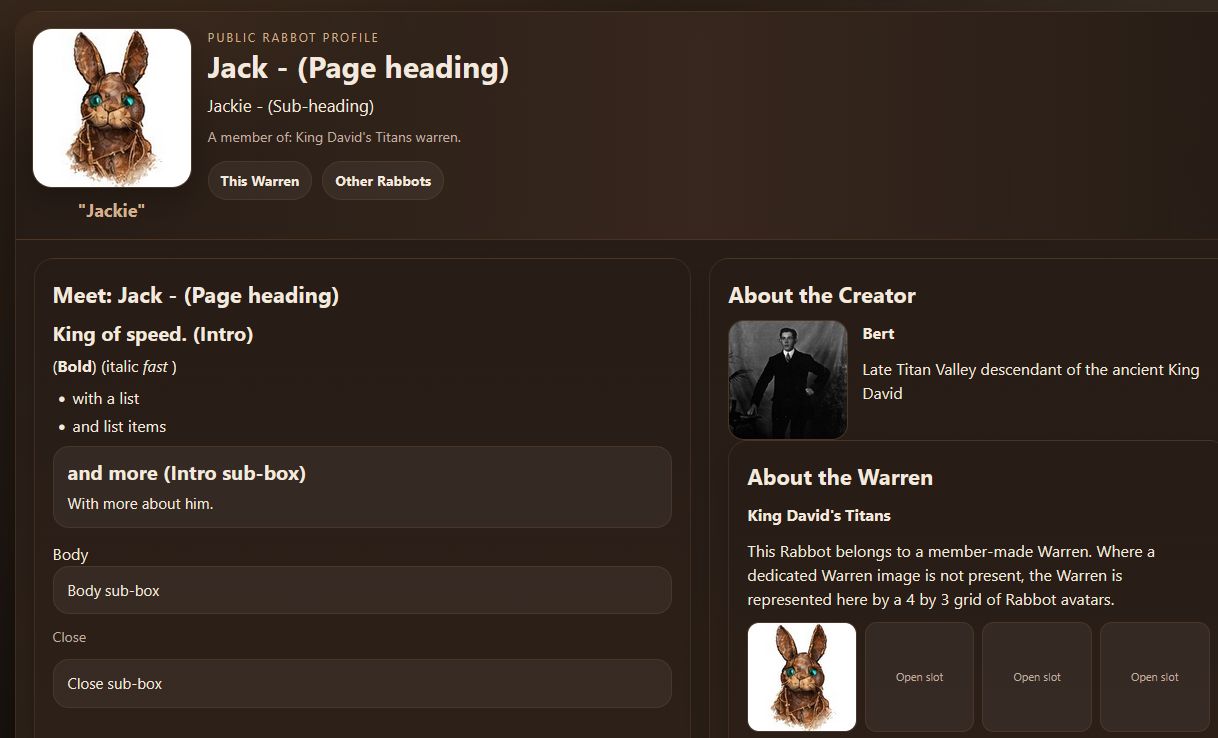
What you are editing: these fields feed the rabbot’s existing personality page in its personality directory. The Sapphire Gallery writes plain content into known page regions such as the heading, sub-heading, intro, intro sub-box, body, body sub-box, close, and close sub-box.

What you are not editing: you are not editing raw HTML, CSS, JavaScript, file paths, or layout code here. Only a tiny built-in set of tags is allowed here: h3, ul/li, b, and i. Everything else is filtered out before save.

How it is saved: Sapphire writes the block content into page_blocks.json for later re-editing. The public page is now meant to be viewed through rabbot.php, which loads the selected member, warren, and rabbot dynamically.

Writing rule: keep the wording public-facing, plain, and human-readable. Use only the tiny built-in markup buttons when needed.

Main title at the top of the public page.
A short sub-heading beneath the title.
Opening public text directly under Meet… on the Rabbot page.
Heading: Bold: Italic: List:
Only these four simple markups are allowed here: h3, list item, bold, and italic.
Optional boxed note that follows the intro.
Heading: Bold: Italic: List:
Only these four simple markups are allowed here: h3, list item, bold, and italic.
The main middle section for lots of stuff about the Rabbot.
Heading: Bold: Italic: List:
Only these four simple markups are allowed here: h3, list item, bold, and italic.
Optional boxed note that follows the body section.
Heading: Bold: Italic: List:
Only these four simple markups are allowed here: h3, list item, bold, and italic.
Closing public text near the bottom of the Meet… box.
Heading: Bold: Italic: List:
Only these four simple markups are allowed here: h3, list item, bold, and italic.
Optional boxed note that follows the close section.
Heading: Bold: Italic: List:
Only these four simple markups are allowed here: h3, list item, bold, and italic.
All page content is filtered before save. HTML-like tags, braces, and common code words are stripped or softened so this stays WYSIWYG-only.
View page

Sapphire Gallery Help

Creator help

Use this area for notes and images that belong to the creator rather than to one single Rabbot. This is the place for creator identity, creator presentation, and creator-facing public notes.

Warren help

Use the Warren area for information that belongs to the whole Warren. This is where shared Warren identity, group description, and Warren image choices belong.

Voices help

Voice lines are short lines for play events. A field may contain one line or several lines. When several lines are present, the Rabbot may draw from that little pool during play.

Rabbot page help

The Rabbot page editor created and edits a public web page for rabbots. Most fields are plain text. There are three two part fields on the left; intro, body and close. The six markup fields allow only a very small set of tags: heading, bold, italic, and list items.